
How to Identify the Processes in an SME That Are Ready for AI Automation
Discover a practical method to spot, score and test the processes in your SME that are ready for AI automation.

How do you identify the processes in an SME that are ready for AI automation? I recommend starting with tasks that are frequent, time-consuming, built on clear digital inputs and that produce a result that is easy to verify. The goal is not to automate everything that moves. It is to choose a workflow where AI genuinely reduces the workload without creating more oversight, risk or corrections.
Table of Contents
- Recognizing a Process That Is Truly Ready
- Mapping and Scoring Opportunities
- Ruling Out Processes That Are Too Risky or Too Fragile
- Testing the Automation Before Deployment
- Key Takeaways
- Frequently Asked Questions
Recognizing a Process That Is Truly Ready
An automatable process is more than just a repetitive task. An activity can come up every day and still be a poor candidate if each file requires complex interpretation, a sensitive decision or data that is too incomplete.
I distinguish between three levels, because they do not call for the same degree of autonomy.
| Level | What Is Automated | Example in an SME | Recommended Level of Oversight |
|---|---|---|---|
| Task | A single, repeated action | Extracting contact details from a form into the CRM | Spot checks at launch |
| Workflow | Several steps across tools and people | Receiving a request, categorizing it, creating a file and notifying the right team | Exception handling required |
| Decision | A recommendation or choice with a business impact | Prioritizing a prospect or approving a sales discount | Human approval required |
This distinction is useful. The ISO/IEC 22989 standard on AI concepts and terminology helps separate tasks, systems and use cases for exactly this reason. In an SME, confusing these levels often leads to a project that is too ambitious from the outset.
Positive Signals to Look For
A good candidate usually has several characteristics at once.
• Sufficient frequency: the task comes up often, even though no universal threshold suits every business. A five-minute activity repeated 40 times a week can weigh more than a two-hour task performed once a month.
• Relatively stable inputs: structured emails, forms, CRM fields, invoices, support tickets, spreadsheets or standardized documents.
• A clear expected result: creating a customer record, categorizing a request, generating a follow-up, reconciling information or forwarding a file.
• Rules that can be explained: if the team can explain how it handles a normal case, the workflow can often be formalized.
• A limited cost of rework: when an error occurs, it can be detected and corrected quickly without serious consequences.
• Measurable value: time saved, shorter turnaround times, fewer errors, better follow-up or fewer forgotten requests.
Take a sales inbox. If incoming messages almost always contain a name, a company, a need and a phone number, AI can extract the data, create a record in the CRM and assign a priority. On the other hand, if half the messages are vague, lack contact details or mix several requests, you need to plan for a human review queue.
The Most Promising Process Families
The best candidates are not necessarily the most visible ones. They are often found in administrative areas where teams copy, check, follow up on and move data between tools.
| Process Family | Typical Inputs | Possible Automation | Watch Out For |
|---|---|---|---|
| Sales | Forms, emails, CRM | Qualification, assignment, follow-ups, record updates | Do not let AI promise a price or timeline that has not been approved |
| Customer Service | Tickets, emails, FAQs | Triage, routing, draft replies, history summaries | Escalate sensitive or ambiguous complaints |
| Finance and Administration | Invoices, purchase orders, receipts | OCR extraction, reconciliation, payment reminders | Keep an approval step before any payment or accounting entry |
| Operations | Orders, internal requests, inventory | Task creation, alerts, data transfer | Check dependencies with the ERP or actual stock levels |
| Human Resources | Forms, documents, leave requests | Document filing, administrative replies, file tracking | Limit the automation of decisions that affect people |
To dig deeper into prioritization by function, the article on which processes to automate first offers a useful point of comparison between sales, administration and operations teams.
A process that is ready for AI is not the one that looks most impressive. It is the one whose rules, data, exceptions and value can be explained simply.
Mapping and Scoring Opportunities
Before choosing a solution, I advise documenting the actual work. Not the theoretical process laid out in a procedure, but what people do when a field is missing, a customer responds late or a file arrives in the wrong format.
Mapping the Actual Workflow
For each candidate process, gather the following elements on a simple sheet.
- Trigger: what starts the work? An email, an order, a call, a form or a due date?
- Actors: who is involved, approves, corrects or receives the result?
- Inputs: what data, documents and tools are needed?
- Steps: which actions are repeated in the same order?
- Expected output: what result must be produced, and within what time frame?
- Exceptions: which cases block normal processing?
- Dependencies: which integrations, permissions, business rules or teams could prevent automation?
This mapping often reveals that the best project is not the complete workflow. For example, processing a quote request may involve reading the request, checking inventory, calculating a price, approving a discount and sending a response. Automating all of it can be risky. On the other hand, extracting the information from the request, creating the file and preparing a draft response makes for a much more reliable initial scope.
Using a Weighted Score Rather Than Intuition
To avoid simply choosing the most irritating process, give each criterion a score from 1 to 5. Then multiply that score by its weight. The total does not replace human judgment, but it makes the trade-offs visible.
| Criterion | Question to Ask | Suggested Weight |
|---|---|---|
| Volume and Frequency | How many cases are handled each week or each month? | 20% |
| Manual Time | How many minutes does a normal case take? | 20% |
| Standardization | Are the steps and rules stable? | 15% |
| Data Quality | Are the inputs complete, accessible and consistent? | 15% |
| Current Error Rate | Does the manual work create omissions, duplicates or delays? | 10% |
| Business Value | Does the process affect revenue, turnaround times or customer satisfaction? | 10% |
| Ease of Integration | Can the tools exchange data securely? | 10% |
A process that scores high on volume and manual time but low on data quality should not be launched right away. Its priority may be to clean up the data or standardize the intake form. It is a less spectacular step, but it avoids building an automation that reproduces the mess at high speed.
To structure this analysis with the managers involved, an automation diagnostic for SMEs helps turn day-to-day irritants into more concrete decision criteria.
Measuring the Hidden Cost of Manual Work
Processing time is only part of the cost. You also have to count interruptions, searching for information, follow-ups, checks, corrections and escalations.
Suppose a person spends four minutes transferring a request into three tools, then two minutes checking that the data is complete. If this sequence happens 30 times a day, it represents three hours of work daily before even counting errors. If an automation reduces that time to a 30-second check per file, the potential gain is real. But it has to be calculated with the remaining supervision time.
I recommend measuring the process for one or two weeks. Without this baseline, it is easy to overestimate the return on investment of a task simply because it is tedious.
Ruling Out Processes That Are Too Risky or Too Fragile
Not everything that is technically automatable should be automated first. The main filter is not what the tool can do. It is the consequence of an error.
The OECD principles state that AI systems should be robust, secure and accountable, which supports the need for oversight criteria for sensitive processes in an SME: OECD AI Principles.
Cases to Postpone or Keep Semi-Automated
I advise against starting with a process when several of the following situations are present.
• High-impact legal, financial or HR decisions: credit refusals, final payroll calculations, hiring, dismissals, contract changes or payment authorizations.
• Low tolerance for error: a mistake could cause a significant financial loss, reputational damage or a regulatory breach.
• Highly sensitive data: personal information, medical information, banking data, trade secrets or disciplinary files.
• Unstable rules: instructions change every week depending on promotions, suppliers, contracts or management decisions.
• Highly variable cases: each file requires lengthy analysis, negotiation or a fine-grained understanding of the context.
• Unreliable source data: missing attachments, illegible text, duplicates, empty fields or limited access.
The right compromise is often semi-automation. AI prepares, categorizes, extracts, summarizes or recommends. A person then approves the final action. This is particularly relevant for delicate customer replies, sales discounts and financial documents.
ISO/IEC 23894 on AI risk management points out that context, impacts and controls must all factor into the risk assessment. In other words, two tasks that are technically identical may require very different controls depending on their business consequences.
Checking Data Maturity
AI does not automatically fix data that is missing, contradictory or inaccessible. It can sometimes handle free text, scans or emails, but the level of uncertainty goes up.
Before launching a project, check at least the following points.
| Question | Sign of Readiness | Warning Sign |
|---|---|---|
| Have the sources been identified? | The files and systems are known | Data circulates through personal email or local files |
| Are the fields consistent? | Same format for dates, statuses and identifiers | Several names for the same customer or unpredictable free-text fields |
| Are access rights defined? | Access restricted by role | Shared logins or unknown permissions |
| Can errors be detected? | Validation rules and history available | No one can easily tell whether the result is correct |
| Are exceptions documented? | Special cases known and routed | Employees improvise in every atypical situation |
The NIST AI Risk Management Framework proposes governing, mapping, measuring and managing AI-related risks. This logic applies well to an SME: you assess the use case before deployment, then monitor what actually happens once it is in service.
Testing the Automation Before Deployment
A good pilot must answer one simple question: does the automation improve the process without shifting the problem onto the review teams?
I favour a narrow scope. For example, this might mean handling only the requests received through a specific form, rather than all incoming messages. This limit makes the results comparable and the exceptions easier to understand.
Using Shadow Mode
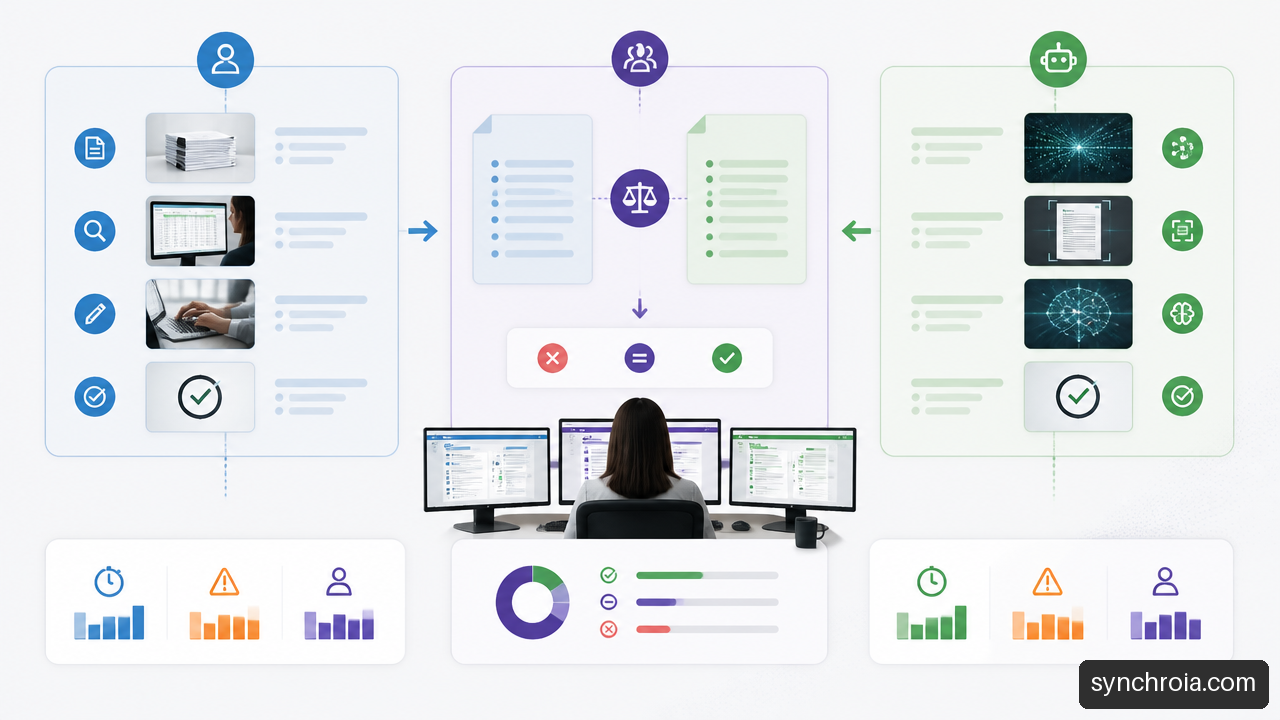
Shadow mode means running the automation in parallel with the manual process, without yet letting it trigger the final action. The team then compares the outputs produced by AI with those approved by people.
This approach is useful when an error would be problematic but it is hard to predict every special case. A company could, for instance, let AI categorize support requests for two weeks, then compare its categories with those chosen by the team. If the tool mostly gets ambiguous requests wrong, an escalation rule can be added before going into production.
Defining Metrics Before Launch
Measuring only the hours saved gives an incomplete picture. An automation can be fast while creating costly errors or a verification overload.
Track at least the following metrics.
• Average processing time before and after automation.
• Error rate: incorrect results, poorly extracted data, wrong routing or non-compliant actions.
• Escalation rate: the share of files transferred to a person because AI cannot handle the case reliably.
• Rework rate: the share of work that has to be corrected or redone.
• Response time: the time between the request coming in and a useful action.
• User satisfaction: feedback from teams and, where relevant, from customers.
A high escalation rate is not necessarily a failure. It may indicate that the safety net is working. However, if that rate rises over time, you need to find the cause: a change in the data, a new category of requests, a faulty integration or a rule that has become obsolete.
Moving From Pilot to a Reliable Workflow
Once the pilot is conclusive, gradually broaden the scope. Add one data source, one team or one category of files at a time. Document the rules, responsibilities and manual fallback procedure.
The deployment must also designate a person responsible for monitoring. Without a clearly designated owner, small anomalies pile up: modified forms, renamed CRM fields, expired access or customer messages that evolve. Automation is not a project you install and then forget. It is an operational process that has to be maintained.
To connect these metrics to a broader efficiency effort, see this guide to productivity with automation. The challenge remains the same: reduce low-value work without losing service quality.
Key Takeaways
• Start with a task that is repetitive, digital and easy to verify, rather than with a complete process that is too complex.
• Distinguish between automating a task, a workflow and a decision. The higher the impact of a decision, the stronger the human approval must be.
• Score opportunities using concrete criteria: volume, manual time, standardization, data quality, business value and ease of integration.
• Temporarily set aside processes with messy data, unstable rules or consequences of error that are too serious.
• Test in parallel before automating final actions. Shadow mode lets you identify edge cases without disrupting day-to-day operations.
• Measure time saved, but also errors, escalations and rework. A gross gain without tracking the cost of supervision can be misleading.
Frequently Asked Questions
Which SME Processes Are the Best Candidates for AI Automation?
The best candidates combine frequency, relatively stable rules, accessible digital data and a verifiable result. Lead qualification, sorting customer requests, extracting data from invoices, administrative follow-ups and updating the CRM are often good starting points. The choice nevertheless depends on the actual volume and the cost of an error.
How Do You Know If a Task Is Repetitive Enough to Be Automated?
There is no universal threshold. A task is worth considering if its cumulative volume creates a noticeable workload or recurring delays. Measure the time spent on it for one or two weeks. A short action repeated many times can justify a project more than a long but rare task.
Should You Automate an Entire Process or Just One Step?
Generally, start with one step. First automate the collection, extraction, categorization or creation of a file. Once that part is stable, you can connect the following steps. This approach limits dependencies and makes errors easier to isolate.
Which Processes Should You Not Automate First?
Avoid sensitive decisions involving payments, contracts, human resources, disputes or highly confidential data. Also avoid processes that are highly variable or poorly documented. In these cases, assistance with human approval is often more prudent than fully autonomous execution.
What If the Data Is Incomplete or Messy?
Address data quality first. Standardize forms, define mandatory fields, eliminate duplicates and clarify naming rules. If a complete cleanup would take too long, limit the pilot to a more reliable source, such as a structured web form, rather than free-form emails.
What Role Should Human Approval Play?
Keep human approval in place when AI interprets an ambiguous case, handles sensitive data, makes a commercial commitment or takes a decision with a financial, legal or human impact. People must also be able to correct, cancel and understand why a request was escalated.
Which Metrics Should You Track After Automation?
Track processing time, error rate, escalation rate, rework rate, response times and user feedback. Compare these results with the period before the pilot. If hours go down but corrections go up, the workflow needs to be adjusted before it is expanded.
How Can You Avoid Automating the Wrong Process?
Map the actual workflow, measure its cost, analyze the exceptions and check data quality before choosing a tool. The best initial project is often a low-risk sub-process that delivers a visible improvement. It creates a reliable foundation for automating broader workflows later on.
Sources and References
• OECD — OECD AI Principles: https://oecd.ai/en/ai-principles
• NIST — AI Risk Management Framework 1.0: https://www.nist.gov/itl/ai-risk-management-framework
• ISO — ISO/IEC 22989 Artificial intelligence — Concepts and terminology: https://www.iso.org/standard/74296.html
• ISO — ISO/IEC 23894 Artificial intelligence — Risk management: https://www.iso.org/standard/77304.html
What about your business?
Your game plan starts with an audit: an analysis of your real operations, a quantified report and a prioritized plan. The introductory meeting is free.