
Process Mapping for Automation: Build Workflows That Work
Learn how process mapping for automation reveals bottlenecks, documents exceptions, selects the right technology, and improves workflow design.

Process mapping for automation turns an unclear workflow into a design that people and software can follow. Before automating a task, I recommend mapping how the work actually happens: the trigger, people involved, systems used, data moved, decisions made, delays, and exceptions. Otherwise, automation may simply make a flawed process run faster.
Table of Contents
• Map The Real Process Before Automating • Turn A Diagram Into An Automation Specification • Choose The Right Automation Approach • Key Takeaways • FAQ • Sources And References
Map The Real Process Before Automating
A process map is a visual record of how work moves from a starting event to an outcome. For automation, it should do more than show boxes and arrows. It should expose where work waits, where information is re-entered, who owns each decision, and what happens when the normal path fails.
The most useful starting point is a current-state map, often called an as-is map. It documents reality, including informal workarounds. A future-state map can then show what should change before software is introduced.
Start With A Clear Process Boundary
A map becomes vague when its scope is too broad. “Automate customer service” is not a process boundary. “Route a new website request to the correct sales representative and create a CRM record” is much clearer.
Define four boundaries before the mapping session:
• Start trigger: What event starts the work? • End outcome: What counts as complete? • In scope: Which teams, systems, and steps are included? • Out of scope: Which related activities will not be redesigned yet?
Consider an invoice approval workflow. The process might start when a supplier invoice arrives and end when the approved record is sent to the accounting system. Payment execution, supplier disputes, and month-end reporting may be related, but they do not need to be included in the first map.
A focused boundary makes automation decisions more practical. It also stops a mapping project from becoming a broad review of every operating procedure in the business.
Capture Work As It Happens, Not As It Should Happen
Ask the people who perform the work to walk through a recent real case. Do not rely only on a written policy. Policies often describe the intended route, while the actual route includes emails, spreadsheets, phone calls, delayed approvals, and manual corrections.
A swimlane diagram is particularly useful when work crosses departments. Each lane represents a role, team, or system. The resulting diagram makes handoffs visible. For example, a sales coordinator may collect missing information, a manager may approve a discount, and a CRM may send a confirmation. If the request pauses at each handoff, the issue may be ownership rather than technology.
Documenting those workarounds matters. A practitioner article from DEV Community notes that exceptions and manual workarounds can materially change how a process operates. If they are left out, the automated workflow can fail the first time a routine exception appears.
Use Process Mining When Workshop Maps Need Evidence
Workshops are valuable, but memory is imperfect. Process mining analyses event logs from systems such as CRMs, ERP platforms, ticketing tools, or workflow applications. It can test whether the mapped process matches recorded execution.
Use process mining when:
• The workflow has high volume and many system events. • Different teams describe the process in conflicting ways. • Leaders need evidence about wait time, rework, or common paths. • The process appears stable on paper but produces inconsistent outcomes.
Process mining is not always necessary. A low-volume process handled mainly through calls, email, and judgment may have limited event data. In that case, interviews, sample reviews, and direct observation of records may provide a better starting point.
A map is not valuable because it looks complete. It is valuable when stakeholders agree that it represents the work that must be improved or automated.
Turn A Diagram Into An Automation Specification
A standard flowchart helps people understand sequence. An automation specification goes further: it tells a technical team what must happen at each step, under what conditions, using which data, with which controls.
This distinction is important. A diagram that says “validate request” may appear clear, yet it leaves major questions unanswered. Which fields are checked? What makes a request invalid? Which system is the source of truth? Who handles a failed validation? How long can the request wait before escalation?
Record The Minimum Fields For Every Step
For each activity that may be automated, I recommend recording the following implementation fields.
| Field | What It Clarifies | Example |
|---|---|---|
| Trigger | What starts the step | New form submission received |
| Input | Data or document required | Customer name, email, service type |
| System | Where work occurs | Website form, CRM, accounting system |
| Rule | Logic that determines the path | Route based on postal code and service type |
| Output | Result created or updated | CRM lead and assigned owner |
| Owner | Person or team accountable | Sales operations manager |
| Service level | Expected response time | Route within one business hour |
| Audit record | Evidence retained | Timestamp, decision result, approver |
| Exception route | What happens when automation cannot proceed | Create review task for coordinator |
This level of documentation makes a process map more than a communication tool. It becomes a shared reference for operations, IT, security, developers, and process owners.
Map Data Lineage And System Boundaries
Automation often fails at the data boundary, not the task boundary. A workflow may correctly create a record but use an outdated customer address, overwrite a value, or send data to the wrong destination.
For each data movement, map:
• The source system and field. • Any transformation, such as formatting or matching. • The destination system and field. • Who can access the data. • What happens if a transfer fails. • Whether the data must be retained for audit or operations.
For instance, a lead form may capture “Province” as free text, while the CRM expects a controlled value. The automation needs a normalization rule, such as converting “Que.” and “Québec” into the agreed value. If no match is possible, the workflow should not silently guess. It should create a review task and preserve the original entry.
Classify Exceptions Instead Of Hiding Them
Not every exception should be solved in the first automation release. But every known exception should be visible. A useful working taxonomy separates failures that need different responses.
| Exception Type | Example | Suitable Response |
|---|---|---|
| Data exception | Required account number is missing | Request correction or assign review |
| Policy exception | Discount exceeds approval limit | Route to authorized approver |
| System exception | CRM API is unavailable | Retry, alert, and queue work safely |
| Timing exception | Approval is overdue | Escalate based on service level |
| Duplicate exception | Same request arrives twice | Match, suppress, or flag duplicate |
| Judgment exception | Request contains unusual commercial terms | Assign to a qualified person |
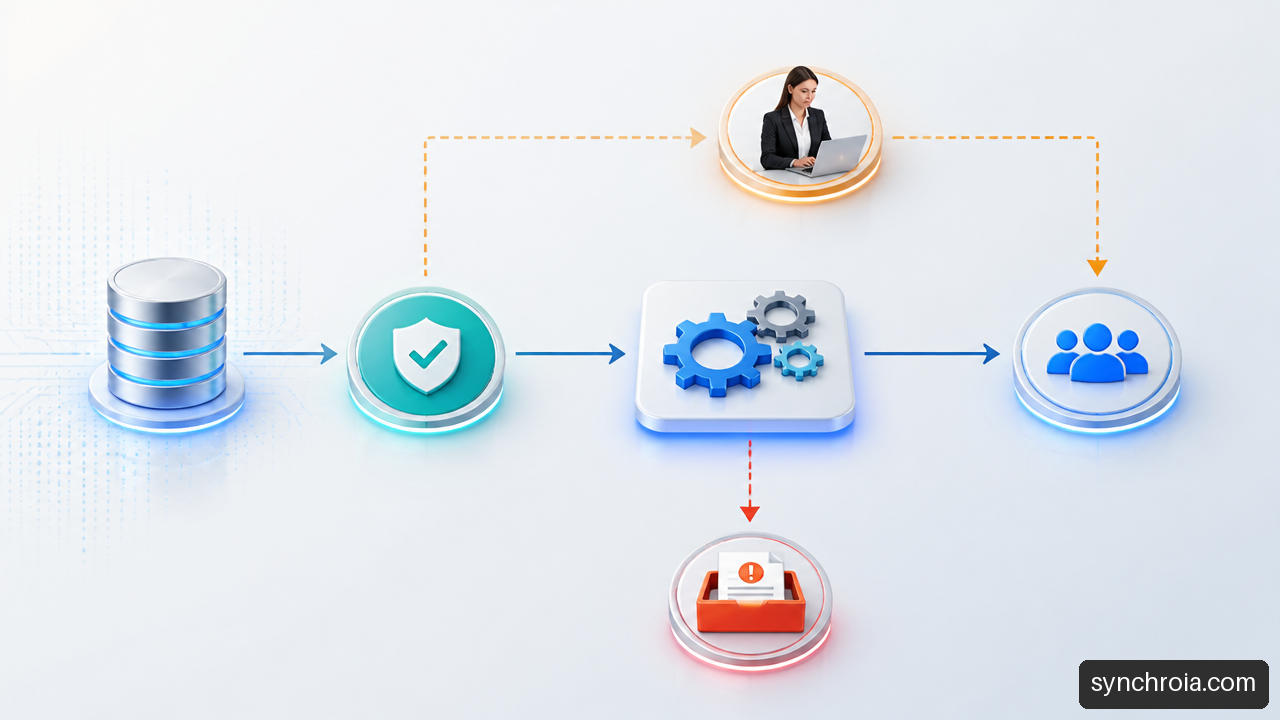
This is a practical design method rather than a universal standard. The right categories depend on the process. What matters is that each exception has an owner, a route, and a visible status.
Some work should remain human-led. Media Junction identifies conflicting information, sensitive customer conversations, unusual approvals, and high-impact decisions with incomplete context as cases that are generally less suitable for straightforward automation. Read its guidance on work that needs more than a simple automated rule before treating every manual step as a candidate.
Choose The Right Automation Approach
The map should guide technology choices. It should not be drawn after a tool has already been selected. A workflow involving stable, connected applications calls for a different approach than one involving a legacy desktop system and frequent human approvals.
Select Technology Based On The Work
| Approach | Choose It When | Avoid It When |
|---|---|---|
| API integration | Systems provide secure, reliable interfaces and structured data | The necessary API is unavailable or cannot perform the required action |
| RPA | A repetitive task must use a stable user interface in a legacy system | The interface changes often or a direct integration is available |
| Workflow platform | Work needs routing, approvals, rules, reminders, and human tasks | The requirement is only a simple data transfer |
| End-to-end orchestration | Several systems and teams need coordinated steps and monitoring | The process is too unstable to define clear ownership and rules |
RPA can imitate human actions in an application interface. It may be useful when a legacy application has no practical integration option. However, it is sensitive to interface changes. A renamed button, changed screen layout, or unexpected pop-up can interrupt the automated task.
An API integration is usually more durable when it is available and fit for purpose. It exchanges data directly between systems rather than copying human clicks. A workflow engine is useful when the process includes approvals, timers, queues, conditional routing, and reassignment.
BPMN, or Business Process Model and Notation, can help when business and technical stakeholders need a more formal shared language. Asana describes BPMN as a standardized method connected to automation and system integration. Use it when precision matters. For a short, single-team task, a simple flowchart may be easier to maintain.
Set An Automation Readiness Gate
A process should not be prioritized just because it feels repetitive. Use a readiness review that considers both operational and technical conditions.
A candidate is often stronger when it has:
• Sufficient volume to justify design and maintenance effort. • Clear rules with few ambiguous decisions. • Reliable and accessible data. • Defined ownership after launch. • Manageable exception paths. • Stable systems or a realistic integration route. • Measurable outcomes, such as cycle time, queue size, or error corrections.
There is no universally validated score that proves a workflow is ready. Treat scoring as a decision aid, not a guarantee. For example, a high-volume order-entry process may look attractive, but if product codes are frequently corrected by staff, the first project may need data cleanup rather than full automation.
Design Human Controls Deliberately
Human-in-the-loop design is not a failure of automation. It is a control pattern. The software handles predictable work, while people handle decisions that require authority, context, or judgment.
Map these controls explicitly:
• Approval thresholds and who may approve them. • Escalation paths if an approval is overdue. • Segregation of duties for sensitive actions. • Override rights and reasons for override. • Reassignment rules when a user is absent. • Logging requirements for decisions and changes.
A credit request illustrates the trade-off. The workflow can validate fields, calculate a score, and assemble supporting documents. It may still need an authorized reviewer when the requested amount exceeds a limit or the information conflicts across systems. The map should show that branch before development begins.
Key Takeaways
• Map the current state first. Include real handoffs, delays, manual workarounds, and exceptions rather than an idealized policy. • Treat the map as an implementation reference. Each automatable step needs triggers, inputs, rules, outputs, owners, service levels, audit records, and exception handling. • Follow data across systems. Data lineage helps prevent silent errors, duplicate records, and unclear accountability. • Match the tool to the workflow. APIs, RPA, workflow platforms, and orchestration solve different problems. • Keep people where judgment is needed. Approval limits, overrides, and escalations should be designed as part of the workflow. • Maintain the map after launch. A process changes when systems, rules, teams, and customer expectations change.
FAQ
What Is Process Mapping For Automation?
Process mapping for automation is the practice of documenting how work flows before software is asked to perform part of it. The map shows steps, decisions, roles, systems, inputs, outputs, and exceptions. Its purpose is to create an accurate basis for improving and automating the workflow.
Why Should A Process Be Mapped Before Automating It?
Mapping reveals whether the apparent task is actually a chain of handoffs, checks, rework, and decisions. Without that detail, an automation may copy unnecessary steps or fail when it encounters a common exception. The map also gives stakeholders a shared view of what is changing.
What Information Should Every Automation Process Map Contain?
At minimum, include the trigger, activities, decision points, roles, systems, inputs, outputs, handoffs, exceptions, and final outcome. For implementation planning, add business rules, data sources, service levels, ownership, audit needs, and recovery actions when a system fails.
Which Diagram Should I Use: Flowchart, Swimlane, SIPOC, Or BPMN?
Use a flowchart for a simple sequence. Use a swimlane map when responsibility moves across teams or systems. Use SIPOC to define a broad scope before detailed analysis. Use BPMN when the workflow needs formal events, gateways, messages, or implementation-ready detail. The best choice depends on the decision the diagram must support.
When Should I Use RPA Instead Of An API Or Workflow Platform?
Use RPA when a stable user interface must be used because a suitable API is not available. Prefer an API when systems can exchange data directly and securely. Choose a workflow platform when routing, approvals, reminders, queues, and human tasks are central to the process. In many cases, an end-to-end workflow uses more than one approach.
How Should Exceptions And Manual Workarounds Appear On A Map?
Show them as visible branches from the normal path. Name the exception, identify how it is detected, assign an owner, state the escalation route, and define the expected response time. Do not bury them in notes. If an exception is common, it may deserve its own process improvement effort before automation.
How Can I Measure Whether An Automated Process Is Successful?
Measure the workflow against its original problem. Useful indicators can include cycle time, queue age, completion rate, exception volume, rework, manual touches, failed runs, and adherence to service levels. Compare results against a documented baseline, and review exceptions separately so average performance does not hide recurring failures.
Sources And References
• mediajunction.com — https://www.mediajunction.com/blog/how-to-map-a-business-workflow-before-automation • dev.to — https://dev.to/crismoteam/process-mapping-for-workflow-automation-2mnf • asana.com — https://asana.com/resources/process-mapping
What about your business?
Your game plan starts with an audit: an analysis of your real operations, a quantified report and a prioritized plan. The introductory meeting is free.